Generations
Each dataset can have one or more generations. Each generation produces a single Parquet file. You set the row count for each generation.
A generation can combine several training data types in one Parquet file. Supported types include tool calling, multiple-choice questions, and question-answer pairs.
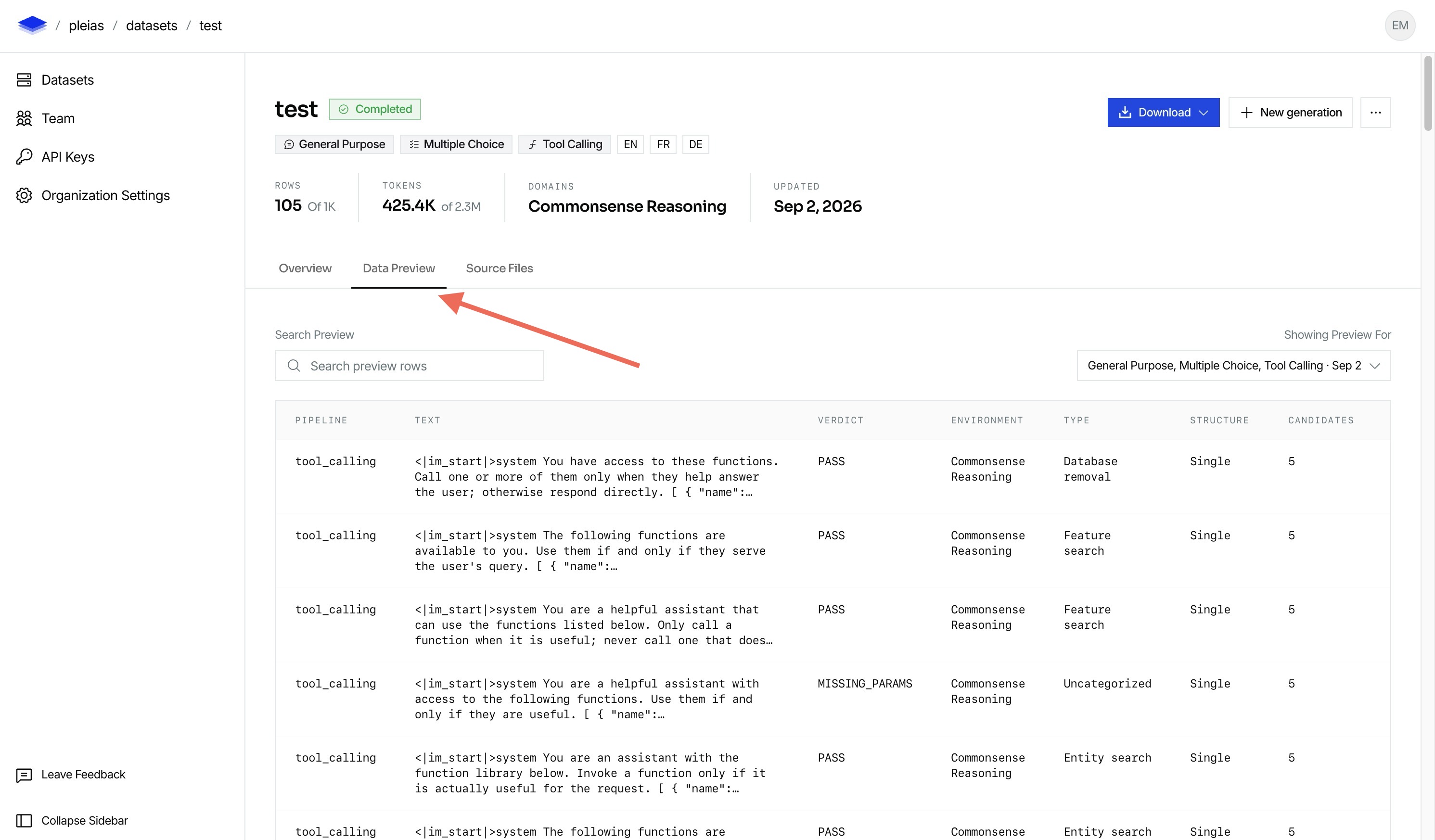
If a Parquet file contains several training data types, it includes a pipeline column. This column identifies the pipeline that produced each row.
Use the Data Preview tab in the UI to inspect the generated data:
Required settings
Set these options for every generation:
- Training dataset types: Select one or more training dataset types.
- Language: Select one or more languages for the generated data.
- Target rows: Set the number of rows in the output Parquet file.
Languages
SYNTH supports the following language codes:
EN, FR, DE, ES, IT, NL, PT, SV, DA, EL, CS, HU, RO, BG
SR, HE, JA, KO, ZH, HI, UR, ID, TL, TH, VI, MS, FA, AR
RU, UK, TR, SW, PL, FI, GA, HR, SK, SL, LT, LV, ET, MT
If you select more than one language, set a language distribution. The distribution sets a relative weight for each selected language.
Dataset types
You can select one or more dataset types for a generation. Each dataset type can have additional configuration. If you select more than one dataset type, set a training dataset distribution. The distribution sets a relative weight for each selected type.
Available dataset types are Q&A, multiple-choice questions, tool calling, production harness, multi-step, and math.
Q&A
Q&A generates question-answer pairs. A Q&A-only generation has no additional settings beyond the required settings.
MCQ
MCQ generates multiple-choice questions. Set the following option when you add MCQ:
- Domains: Select at least one subject domain.
Tool calling
Tool calling generates examples where a model selects and calls functions. Set all the following options when you add tool calling:
- Outcome distribution: Set the relative weight for positive, negative, and missing-parameter tool calls.
- Call structure: Set the relative weight for single-call and multiple-call examples.
- Available functions: Set the number of functions available to the model. You can set a value from 1 to 25.
- Query types: Select the tool-calling query types that the generation includes.
- Query type distribution: Set a relative weight for each selected query type.
- Response style: Set the relative weight for plain and verbose responses.
- Function order: Choose whether SYNTH shuffles the available functions in each example.
- Reasoning: Choose whether tool-calling examples include reasoning.