Synth UI
The SYNTH UI is the easiest way to create and manage datasets. It shows dataset settings, generation status, and output files in one place. This guide shows how to use the UI.
Create an organization
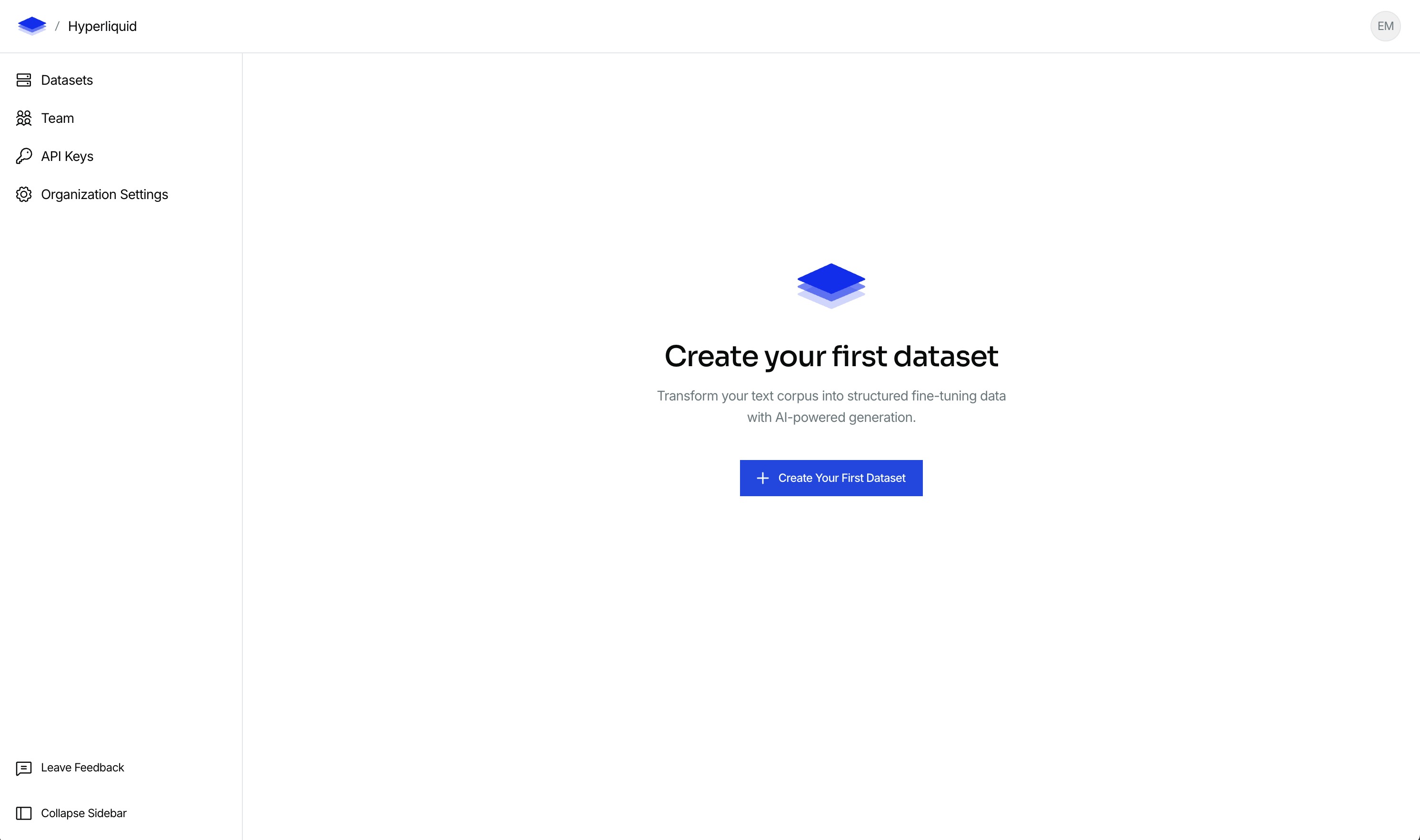
When you login the first page you see will allow you to create an organization. An organization is required to create datasets. Once your organization is created you will see the following:
Create a dataset
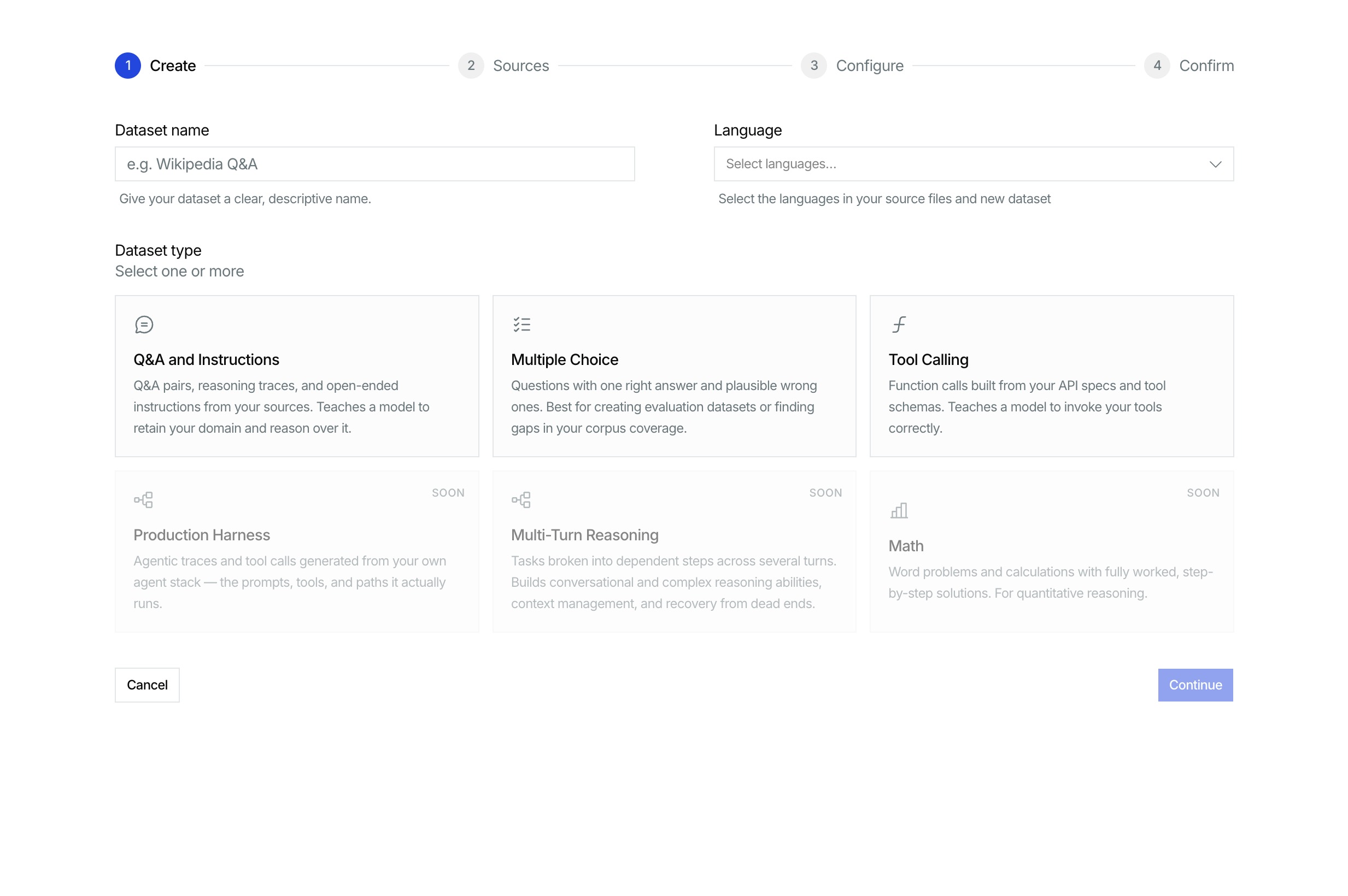
Click the "Create Your First Dataset" button and you will have a choice between creating a synthetic dataset or a document ingestion pipeline (coming soon). Click on "Create synthetic dataset" and you will be routed to a page that looks like this:
Configure and start generation
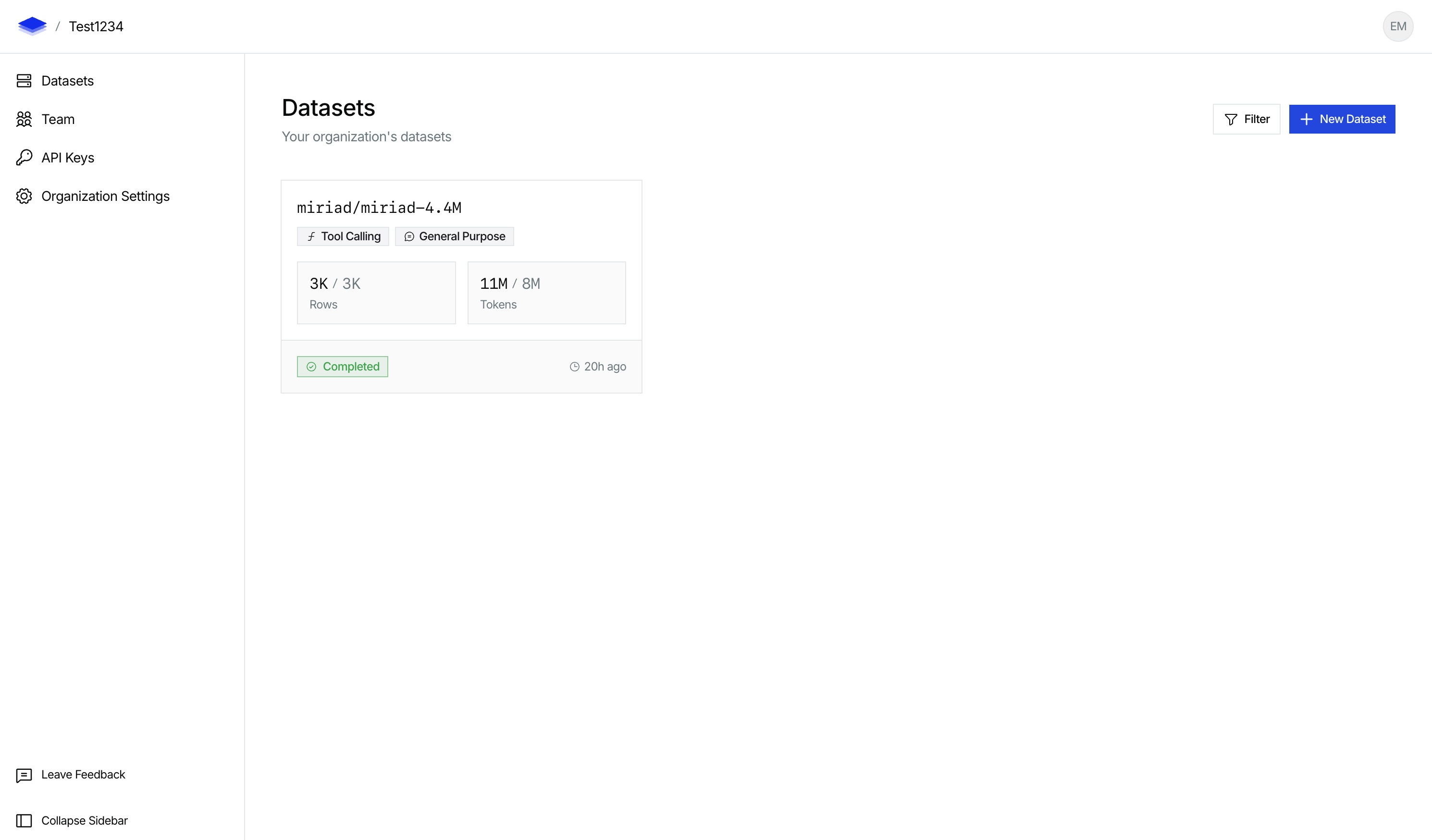
Configure your dataset for your needs and follow the steps till the end to start the synthetic dataset generation. Once submitted and generation finishes, you will see a completed dataset in the datasets page:
Download the dataset
You should then click into the dataset, and on the top right of the page there will be a download button:
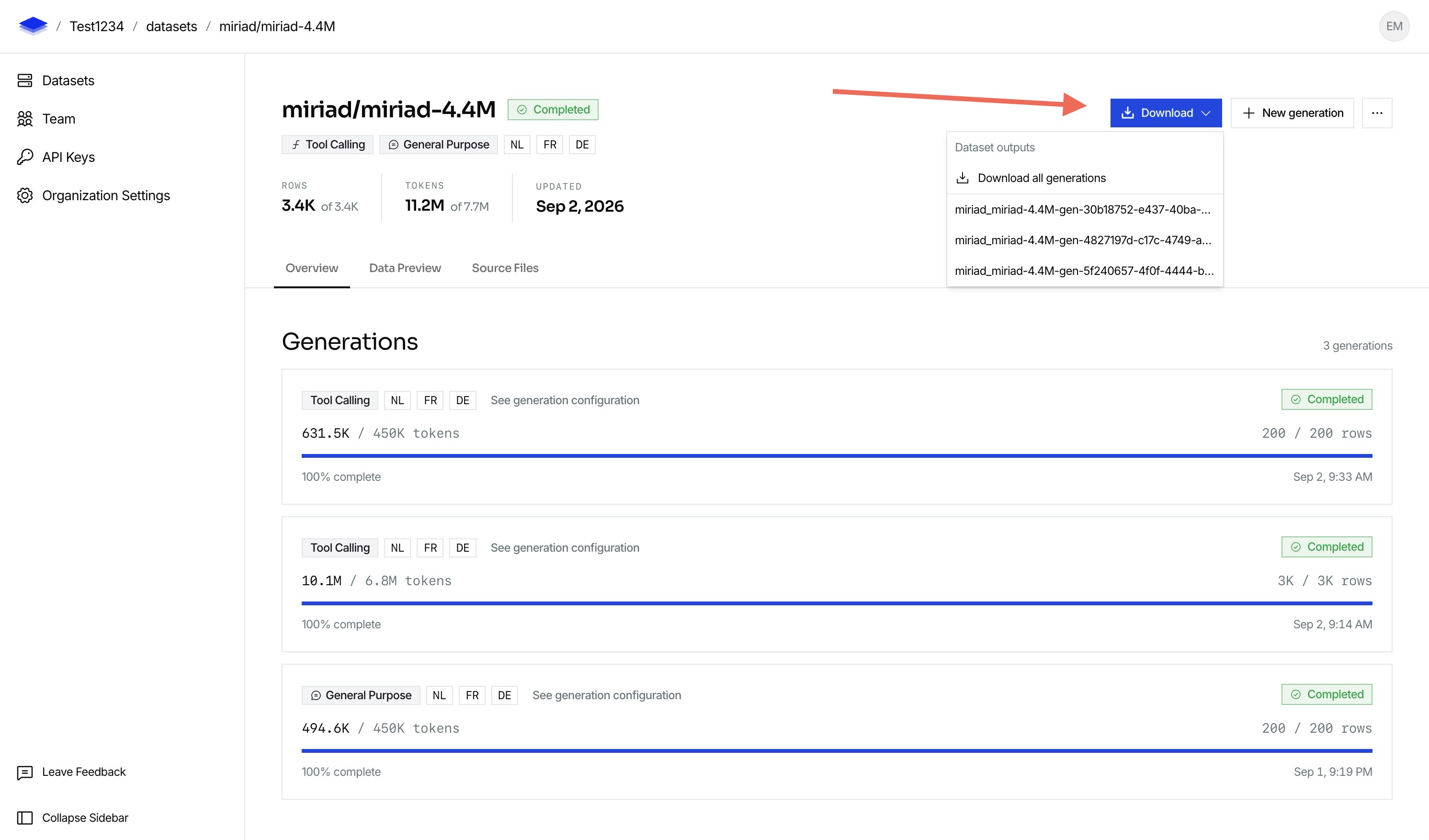
This will download the parquet file that you can use on your training runs!
-
See SDK Usage
Create and manage datasets from code.